Notification preview alerts
When protection is enabled, RakshaLink checks supported previews for fake-authority threats, suspicious payment instructions, urgent KYC claims, risky links and other scam-shaped signals.
Automatic, on-device checksPrivate scam protection for Android
RakshaLink checks supported notification previews on your device and warns when content resembles digital arrest, KYC, UPI, courier, OTP and APK scams.
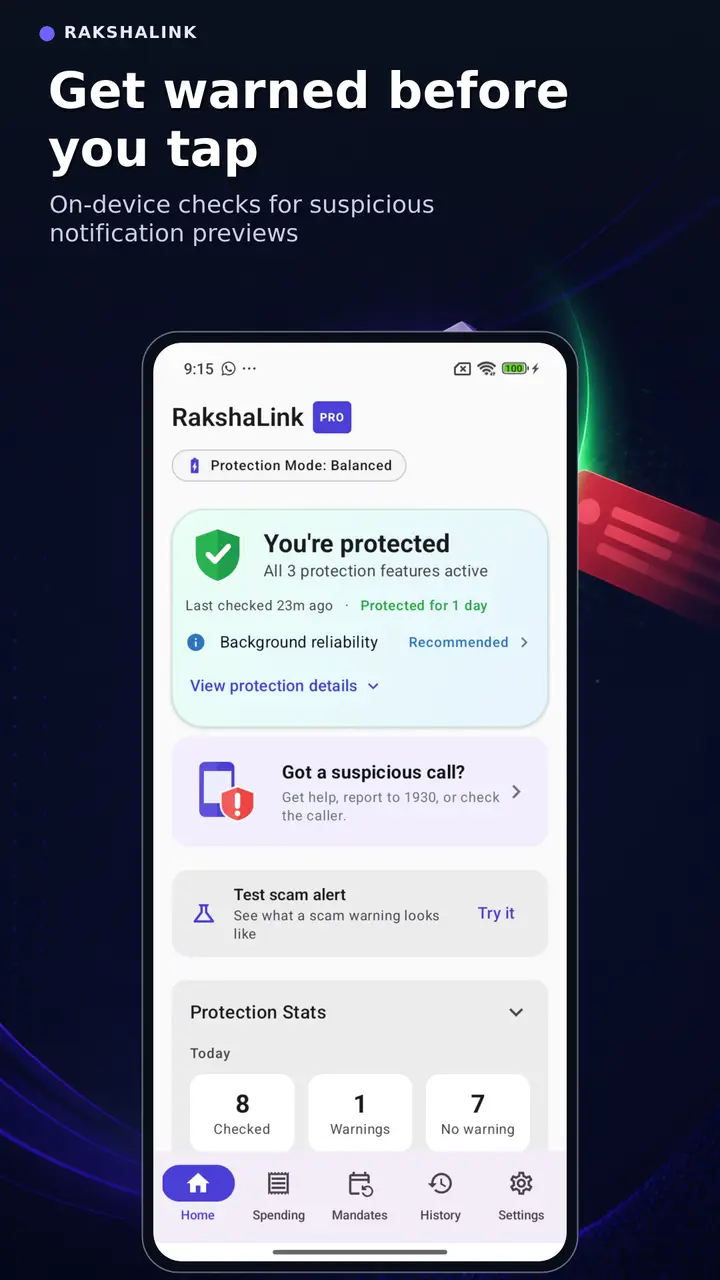
Protection that meets you where scams arrive
Automatic warning alerts cover supported notification previews. Manual tools help when a message, screenshot, QR code, link or APK reaches you another way.
When protection is enabled, RakshaLink checks supported previews for fake-authority threats, suspicious payment instructions, urgent KYC claims, risky links and other scam-shaped signals.
Automatic, on-device checksPaste suspicious text, links or UPI IDs to see a risk result with plain-language reasons and safer verification steps.
Choose a screenshot, or share one to RakshaLink, to check a suspicious message or payment QR code. The text is read on your phone and the screenshot is not uploaded. Reads English text for now.
Inspect payment QR codes and downloaded APK files before paying or installing.
Open calm, practical safety guidance while a suspicious call is active. RakshaLink does not record or listen to the call.
Link people you trust for opt-in scam alerts. Family members receive the risk category—not the private message itself—so they can check in when it matters.
Consent-based coordinationReview past checks, weekly protection summaries and optional recurring-debit insights.
Real RakshaLink screens
RakshaLink explains the signal and helps you verify safely. It does not use panic, promise perfect detection or replace your bank, police or telecom provider.
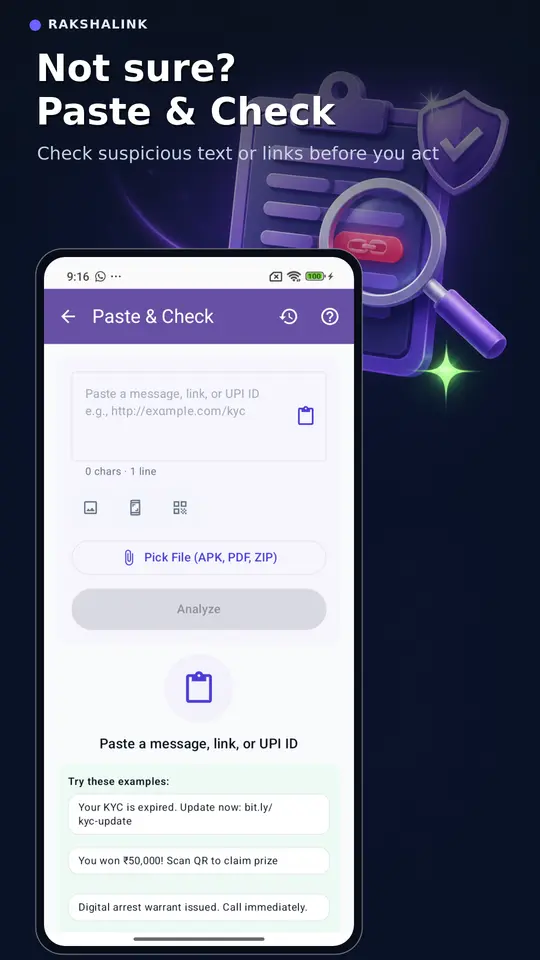
Check suspicious text or links before replying, paying or sharing information.
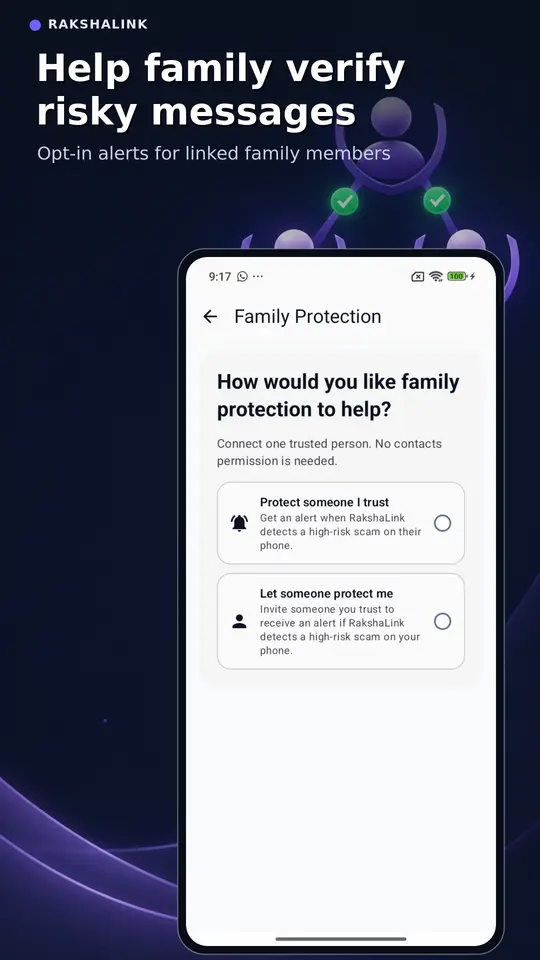
Coordinate with linked family members without exposing their message content.
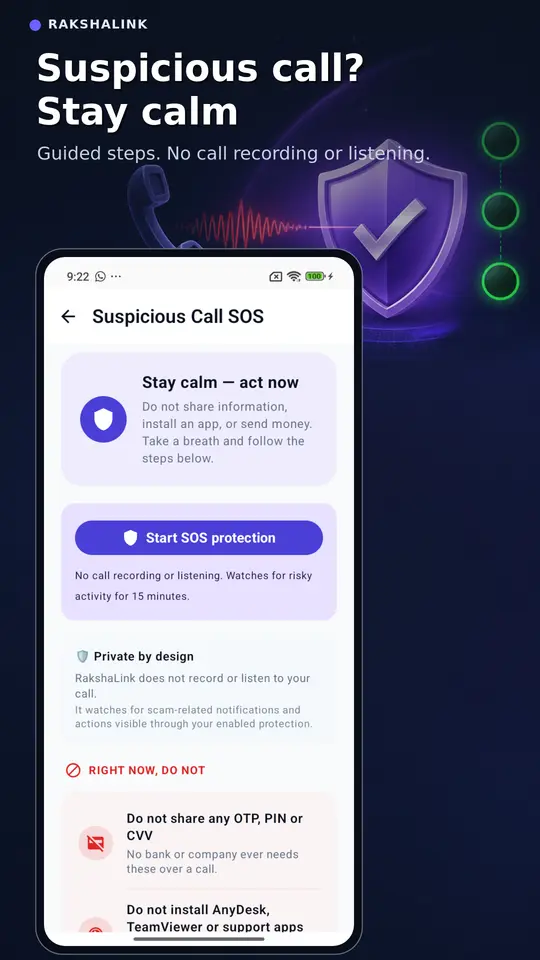
Follow guided safety steps without call recording or microphone access.
Simple setup
You stay in control of every permission and optional feature.
Download the Android app from Google Play and choose the language that is most comfortable for you.
Turn on warning alerts and Android Notification Access to check new supported notification previews.
Read the reason behind an alert, use Verify safely, or manually check suspicious content before acting.
Built for India
Short, practical guides explain the pressure tactics scammers use and the safest next step.
Privacy-first by design
Routine scam detection happens on your phone. RakshaLink does not upload private message content to the cloud for scanning or sell your data.
Start free
Use the essential checks without upgrading. Choose Pro only if its deeper family and reporting tools are useful to you.
Everyday tools for suspicious messages, links, QR codes and APK files.
Additional tools for families and people who want deeper protection summaries.
The current Pro price and purchase terms are shown inside RakshaLink and by Google Play before payment. The current one-year Pro purchase does not auto-renew.
Questions before installing
Android Notification Access lets RakshaLink check the previews shown by supported apps and warn you about scam-shaped content. It does not provide access to your full chat history or let RakshaLink send messages.
Routine notification analysis happens on your device. Private message content is not uploaded to the cloud for scam scanning. Optional feedback is redacted before it is used to improve detection.
No. RakshaLink reads the text and any QR code in the screenshot on your phone. The screenshot is not uploaded or saved to your scan history, and the app’s temporary copy is cleared when you finish. For now, only English (Latin-script) text is read from screenshots.
No. Suspicious Call SOS does not record or listen to calls. It provides calm safety steps while a suspicious call is active and uses only the protection features you have enabled.
Core protection is free, including notification scanning, Paste & Check, screenshot and QR checks, scan history and basic family protection. RakshaLink Pro adds deeper family coordination, recurring debit insights and downloadable protection reports.
Yes. A risky result may sometimes be genuine, and a safe result is not a guarantee. Always verify requests involving money, OTPs, personal information, remote access or legal threats through official channels.
Call India’s cyber-fraud helpline 1930 promptly, then continue on the official reporting portal.
Install RakshaLink, enable the protection you want and keep a private scam-checking tool close when a message or call feels wrong.